





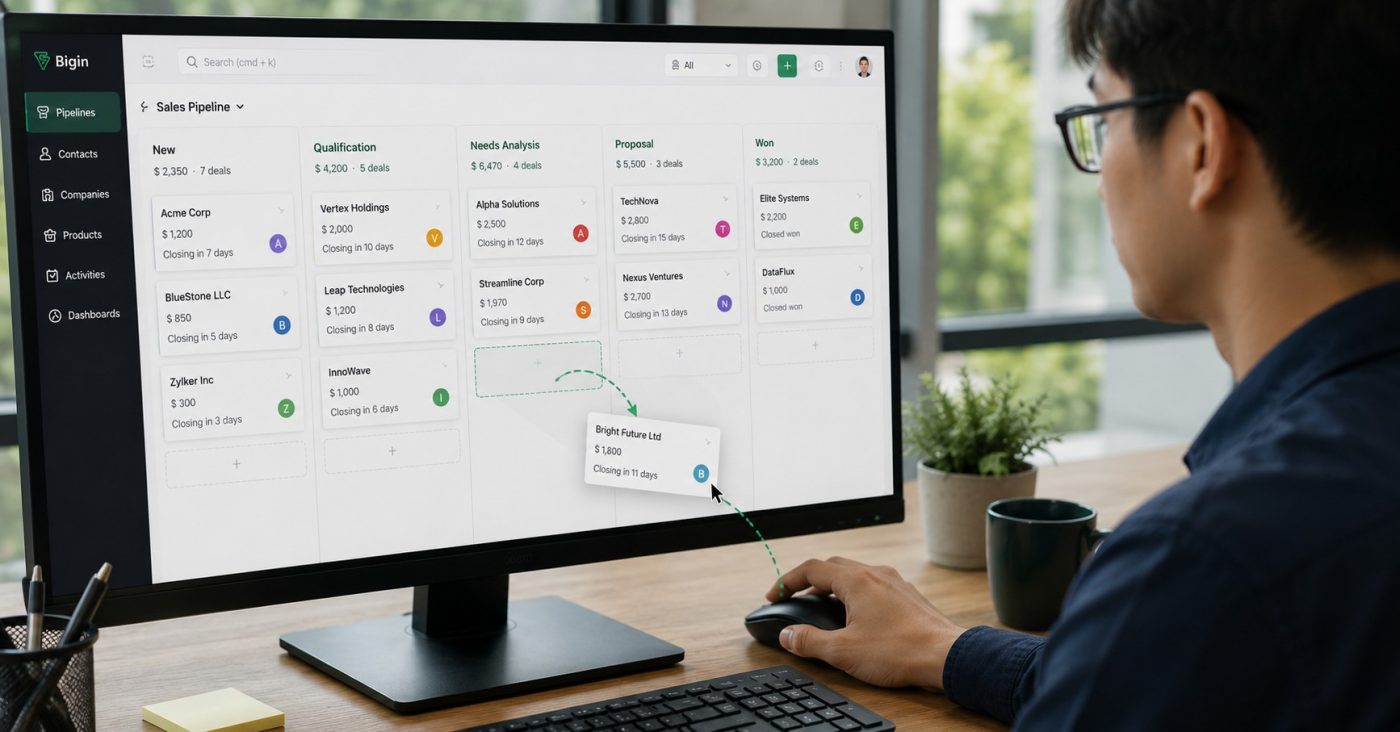
Zoho Bigin Pipeline helps Sales teams turn the sales process into a visual interface where each opportunity is placed in the right stage and can be updated with a simple drag and drop action. Instead of opening a data table and filtering each row to find out where a customer stands, Sales can view all opportunities on one screen and quickly identify which deals need to be handled next. With this simple approach, Pipeline management becomes more closely aligned with actual work instead of becoming another data entry task that takes up the team’s time.
What does Zoho Bigin Pipeline help Sales teams see?
A Sales Pipeline can simply be understood as a way of dividing the customer’s buying journey into specific stages.
For example, a business can build stages such as: Lead → Contacted → Consultation → Quotation → Negotiation → Closed Deal.
Instead of looking at a long list, Sales can see which stage each customer is currently in. Managers can also quickly identify where opportunities are concentrated and which deals are getting closer to the final outcome.
The important point is that a Pipeline does not create a new process. It visualizes the process the business is already following.
Drag and drop once, update the entire process
Đây là điểm dễ thấy nhất khi sử dụng Zoho Bigin Pipeline. Khi khách hàng chuyển từ bước tư vấn sang báo giáThis is one of the most visible benefits of using Zoho Bigin Pipeline. When a customer moves from the consultation stage to the quotation stage, Sales only needs to drag the opportunity card from one column to another. The status is updated directly on the Pipeline without having to open each record and edit it manually.
This may seem like a small action, but it addresses a common problem in Sales management: data and actual work are not updated at the same time.
When Sales completes a step with a customer and can immediately update it on the interface, the information in the system more accurately reflects the actual situation. Managers also no longer need to constantly ask individual employees how far an opportunity has progressed.
Bigin also allows stages to be rearranged using drag and drop, making it easier for businesses to adjust their Pipeline when the sales process changes.
A good Pipeline is not a Pipeline with many stages
A fairly common mistake when building a CRM is trying to create too many stages to describe every Sales activity.
In reality, the more complex the Pipeline is, the harder it becomes for the team to use. If Sales has to spend time figuring out which stage a customer belongs to instead of focusing on customer care, the system has become part of the problem.
An effective Pipeline only needs to show the steps that are truly important in the customer’s buying journey.
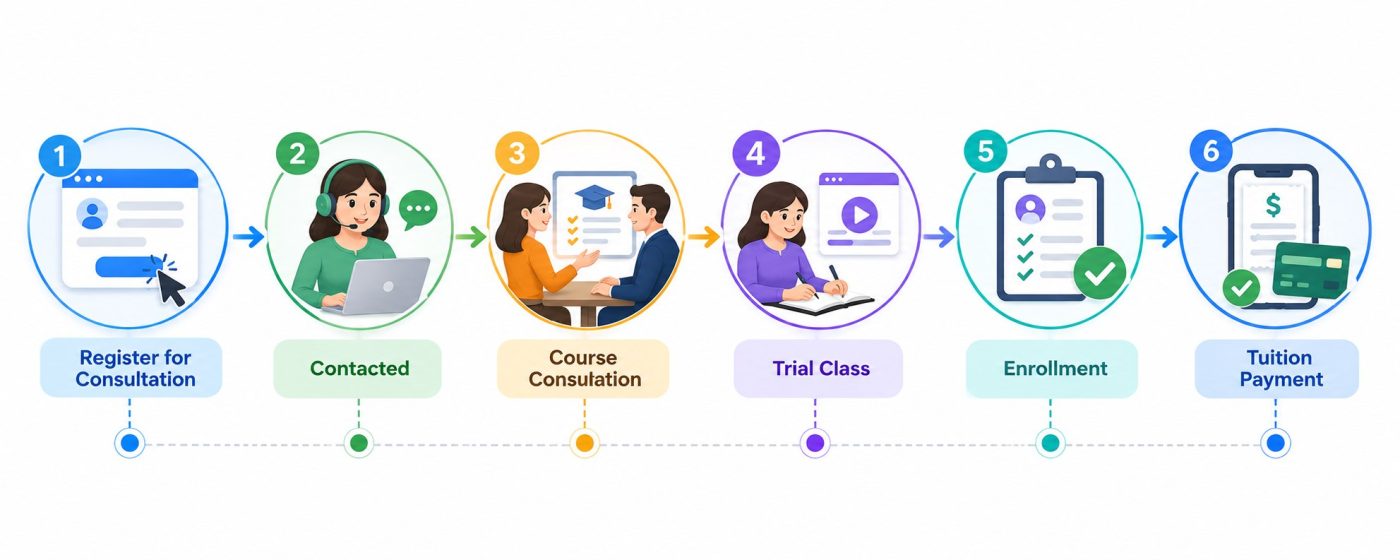
For example, an education center may manage:
Consultation Request → Contacted → Course Consultation → Trial Class → Registration → Tuition Payment
Meanwhile, a real estate business may need:
Lead → Project Consultation → Product Selection → Site Visit → Negotiation → Deposit
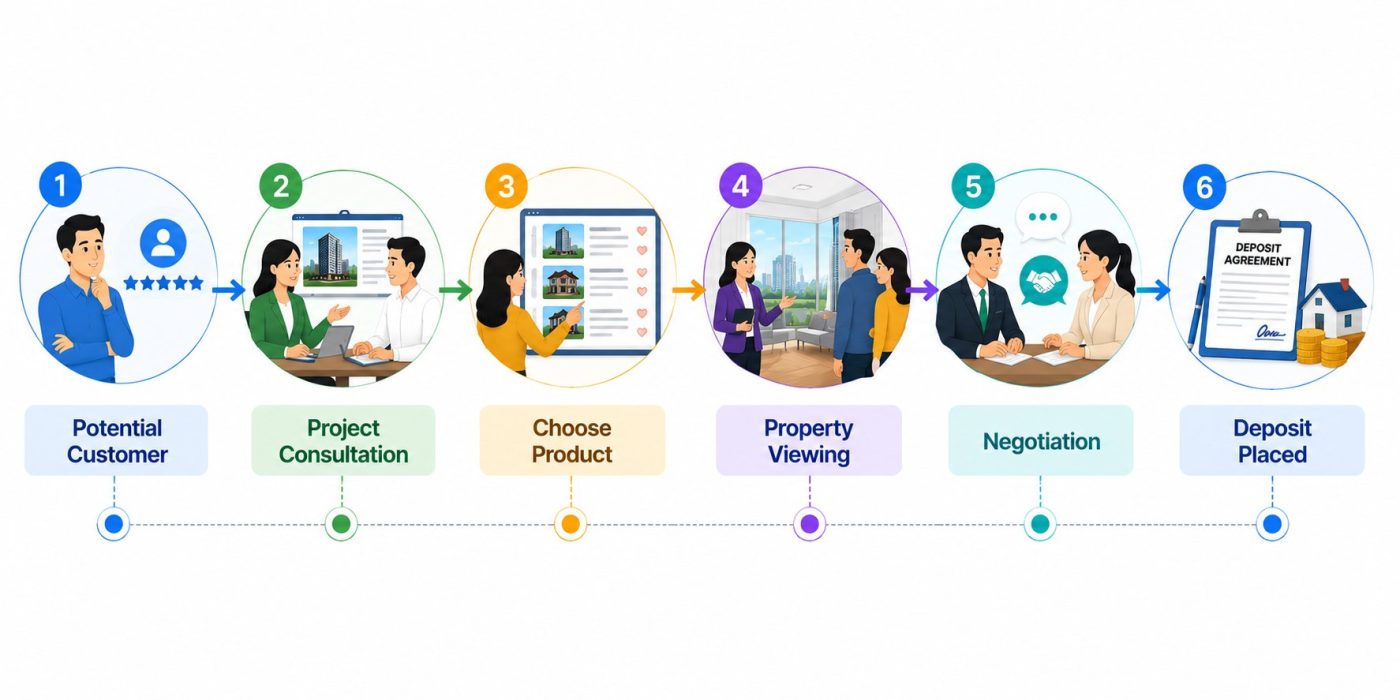
There is no single Pipeline that works for every business. The value of Zoho Bigin lies in allowing businesses to build a Pipeline according to the way they actually sell.
From “Where is the customer?” to “What needs to be done next?”
With Zoho Bigin Pipeline, the status of each opportunity is placed within the same process, making it easier for Sales to identify which customers need to be prioritized.
A Pipeline only creates value when it helps Sales take action.
A customer who has just been added to the system needs to be contacted. A customer waiting for a quotation needs to be followed up. An opportunity that has entered the negotiation stage may require support from a manager.
In Zoho Bigin, activities such as calls, tasks, and appointments can be linked to each opportunity. As a result, the Pipeline not only shows which stage the customer is in, but also helps the team track what needs to be done next.
This is the difference between a data table and a Sales management tool. A data table tells you how many customers there are. A Pipeline helps you see how many opportunities are progressing and how they need to be handled.
When should a business switch to visual Pipeline management?
If the Sales team only has a few people and the number of customers is still small, Excel can still meet basic needs.
But when a business starts managing many opportunities at the same time, with multiple employees responsible for different customers, and managers need to regularly monitor progress, a simple list will quickly become difficult to control.
This is especially true if the business frequently faces situations where no one knows which stage a customer is in, Sales forgets to follow up, managers have to ask each person for updates, or reporting takes too much time. This is when it may be time to consider a visual Pipeline.
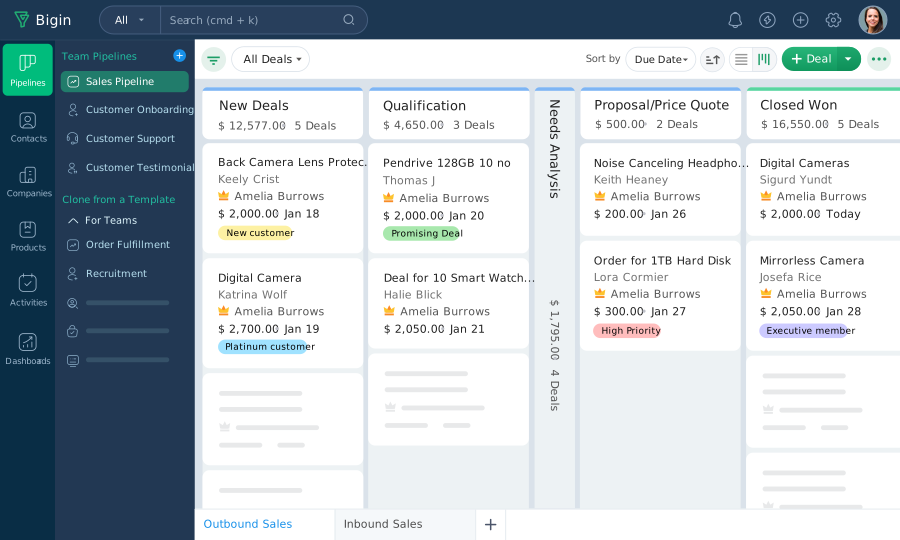
Zoho Bigin Pipeline does not sell on behalf of Sales. It helps the team see existing opportunities more clearly, update information faster, and focus on the customers who need to be handled next.
An effective CRM system does not necessarily need a complicated interface. With Zoho Bigin Pipeline, the sales process is presented visually through each stage, making it easier for Sales to track opportunities and update progress with a simple drag and drop action.
At WBL Group, CRM implementation starts with the actual business process. We help businesses identify the stages that are truly necessary, build a suitable Pipeline, and optimize how the team uses the system in their daily work. The goal is not to create a CRM with countless features, but a system that is intuitive enough for Sales to see opportunities clearly, know what needs to be done, and work more effectively.