





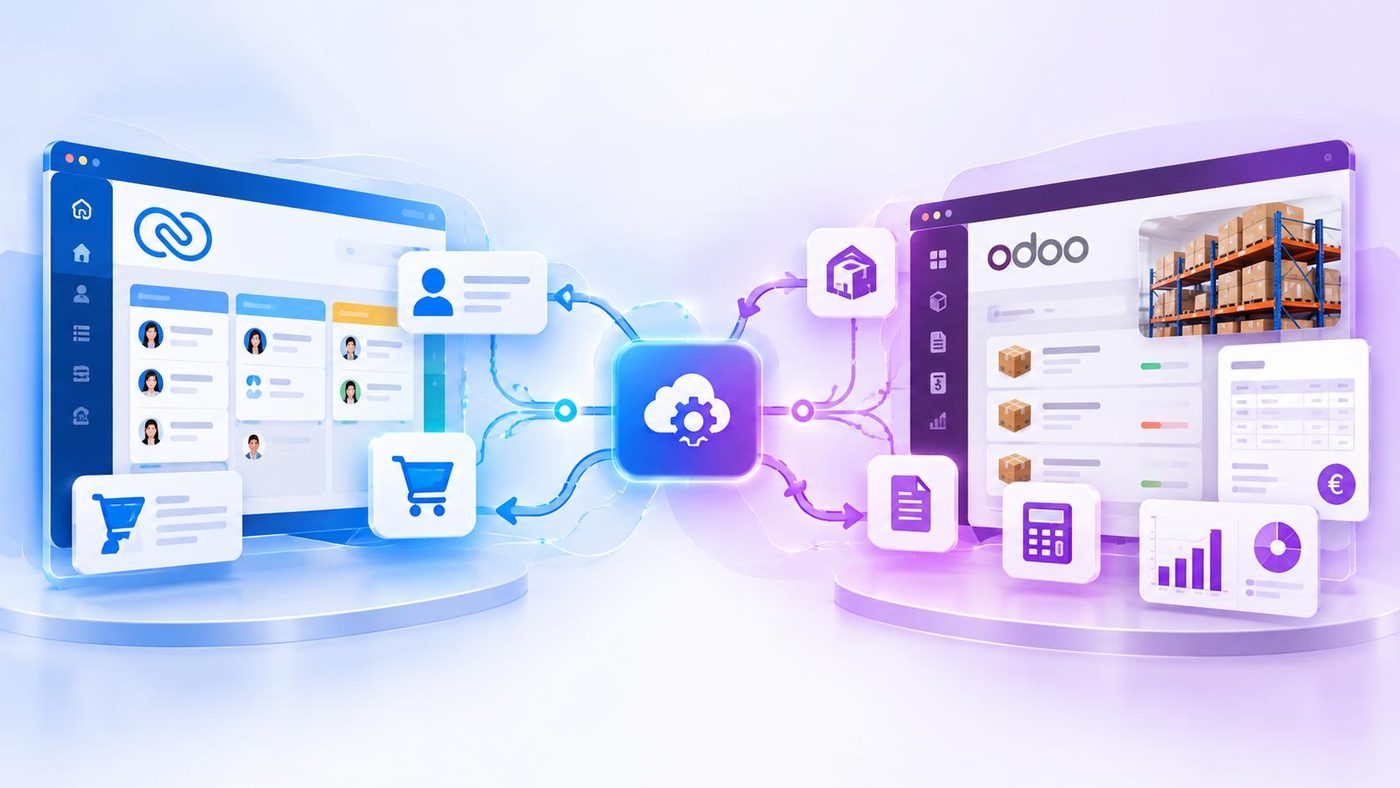
Zoho CRM and Odoo can be considered two parts of a combined management architecture: Zoho CRM continues to manage customers and Sales opportunities, while Odoo handles operational activities such as orders, Inventory and Accounting, depending on the scope selected by the business. Instead of transferring all data to a new system, businesses can connect the two platforms so that information flows between departments.
This approach is particularly worth considering when the Sales team is already familiar with Zoho CRM, but the business is starting to need tighter control over Inventory, Purchasing or financial activities. However, integration is not simply about connecting two software systems. The important thing is to determine which data needs to be exchanged, which system is responsible for managing that data and which processes should be triggered when information changes.
Why Might a Business Need Both Zoho CRM and Odoo?
CRM and ERP solve different business challenges. Zoho CRM focuses on customers, Sales opportunities, customer service history and Sales team activities. Odoo can manage business functions such as Sales, Purchasing, Inventory and Accounting within the scope implemented by the business.
This difference becomes clearer as a business grows. The Sales team may already be managing customers effectively in Zoho CRM, but after closing an order, the business still needs to confirm product availability, track delivery, issue invoices and manage payments. If these activities are handled in another system, employees may have to transfer information manually or check multiple places to understand an order’s status.
A hybrid model does not require businesses to abandon a system that is already working well. Instead, Zoho CRM continues to support the Sales process, while Odoo adds operational management capabilities. The two systems are connected so that the necessary data can flow according to an agreed process.
How Does a Hybrid Model Work?
Imagine a business using Zoho CRM to manage customers and Sales opportunities. When a customer agrees to make a purchase, the order information needs to be transferred to the next operational system to check Inventory, prepare delivery and complete the related Accounting steps.
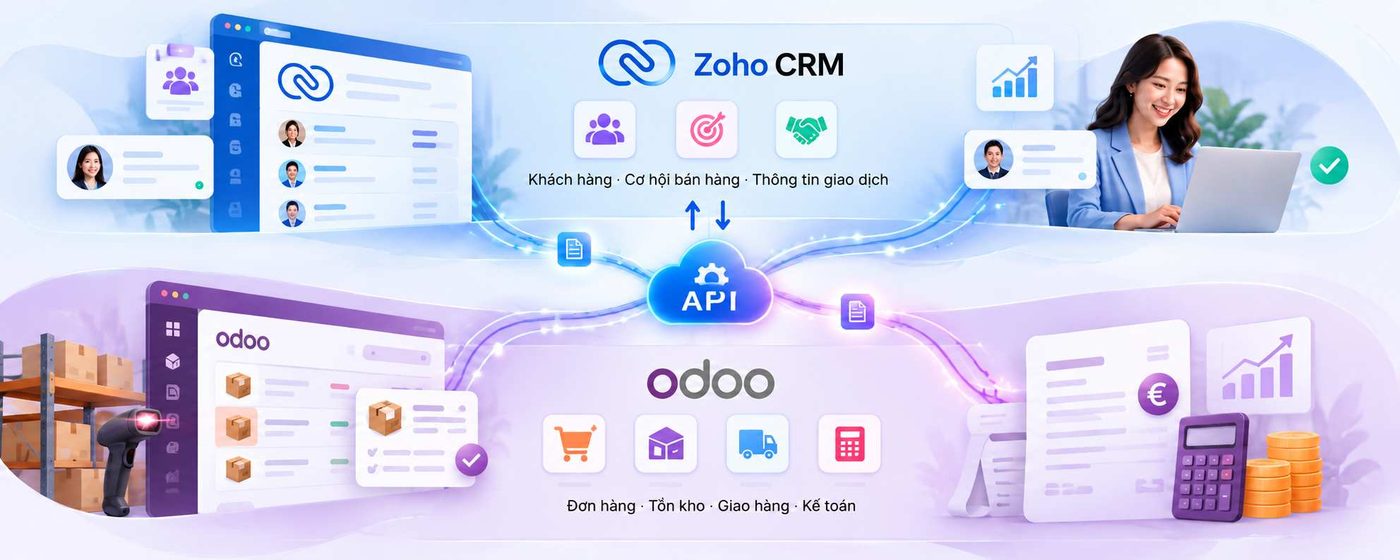
Technically, APIs allow systems to exchange data without necessarily requiring employees to re-enter it manually. Zoho CRM provides APIs for reading, creating and updating records; Odoo also provides external APIs to support connections with other software systems.
The important point is that not all data needs to be synchronized in both directions. Businesses need to determine which information is sent from Zoho CRM to Odoo, which information is updated in the opposite direction and when each action takes place. For example, customer and order information can be transferred to Odoo, while order processing status or Inventory information can be sent back to Zoho CRM so that Sales can track progress and respond to customers.
Which Data Should Be Connected First?
Businesses do not need to integrate all their data at the initial stage. The integration scope should start with the areas that force employees to re-enter information, repeatedly ask other departments for updates or spend time confirming order status.
An initial model could focus on three groups of data. The first is customer and product information, which helps prevent multiple records from being created for the same entity. The second is order information, which transfers data from Sales activities to operational processing. The third is the order status, Inventory or payment information that Sales needs to understand the situation after a transaction has been confirmed.
Each data group needs clear management rules. For example, if Odoo is responsible for recording actual Inventory levels, Zoho CRM should receive Inventory information from that source rather than allowing Sales to update a separate figure manually. Similarly, if an order is created in one system, synchronization needs a record identification mechanism to prevent duplicate records when the data is sent again.
Businesses can refer to the official documentation for the Zoho CRM API and Odoo External API to understand the available integration capabilities. The specific use of APIs depends on the version, subscription plan and configuration of each platform.
What Needs to Be Agreed on Before Integration?
A project connecting Zoho CRM and Odoo can encounter problems even when both systems are working properly. The causes often lie in inconsistent data, unclear processes or a failure to determine which system has the authority to make the final update to a piece of information.
For example, if product names, item codes or customer information are inconsistent across the two platforms, synchronization may create incorrect or duplicate data. If an order is modified in both systems without conflict-handling rules, the business may not know which information is the latest. Therefore, before implementation, the business needs to agree on data field mapping, record identification rules and the update permissions of each system.
In addition, the business needs to determine what happens when the connection is interrupted. Will failed data transfers be recorded for retry? Will employees know which transactions have not been synchronized? Who is responsible for checking and resolving the issue? These questions need to be addressed in the integration design rather than waiting until errors occur during operations.
The goal is not simply to make the two software systems exchange data, but to ensure that data is exchanged accurately, completely and in a controllable way. This is what determines whether a hybrid model genuinely reduces manual work or merely transfers complexity from one system to another.
When Is a Hybrid Model Suitable for a Business?
A hybrid model is worth considering when a business has already invested time and resources in building its Sales process on Zoho CRM and is starting to need deeper management of the activities that follow an order. In this situation, retaining the existing CRM and connecting it to Odoo may be more suitable than replacing the entire system immediately.
On the other hand, if processes are still simple, data volumes are low and departments are not experiencing significant coordination difficulties, the business may not need a complex integration yet. Connecting two platforms also creates costs for design, development, testing, monitoring and maintenance. Therefore, the expected benefits need to be clear enough to justify the investment of resources.
Before making a decision, businesses should answer three questions: Which activities is Zoho CRM already handling well? Which bottlenecks in Inventory, Accounting or operations remain unresolved? And which data needs to flow between the two systems to address those specific bottlenecks? The answers will help determine whether a hybrid model is suitable or whether a simpler alternative would be more effective.
Zoho CRM and Odoo do not necessarily have to be viewed as mutually exclusive choices. When their roles are clearly defined and they are integrated properly, the two platforms can help businesses connect Sales activities with operations without replacing the entire system already in use. WBLGroup supports businesses in assessing processes, identifying a suitable architecture and developing an integration approach based on actual needs, so that technology connects business activities instead of creating more disconnected systems.