





In today’s digital transformation era, applying Zoho Bigin for education is becoming an urgent solution. This platform is particularly suitable for foreign language centers, skills training facilities, and private schools.
If your center is struggling to track hundreds of trial class registrations, send entrance test reminders, and manage tuition fees using disjointed manual Excel spreadsheets, then this article is exactly for you.
The lack of synchronization in data management often leads to information leakage. As a result, you can easily forget to follow up with customers and lose countless valuable enrollment opportunities.
This article will guide you step-by-step to put the Zoho Bigin for education system into practical operation.
You do not need to be a programmer or a complex technician. With just 30 minutes of setup, you will own an automated, professional, and error-free student management process.
1. Why is Zoho Bigin for education the most ideal CRM software?
Before diving into setting up the Zoho Bigin for education system, we need to understand why this platform is highly favored.
Unlike bulky and expensive Enterprise Resource Planning (ERP) systems, this software offers a completely different approach. It focuses strictly on minimalism and practical efficiency.
You can learn more about this powerful ecosystem on the official homepage of Zoho Bigin.
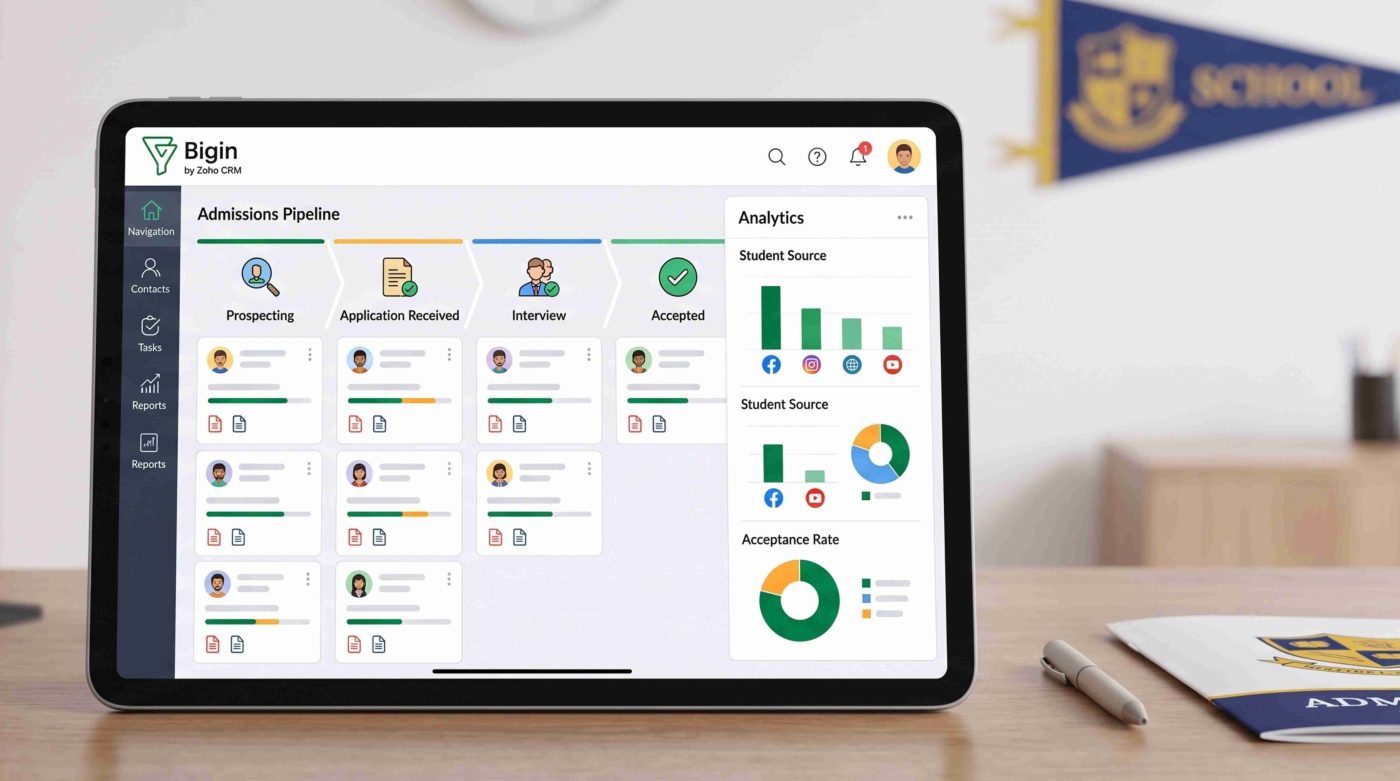
- Visual Kanban design (Pipeline-centric): Every student status – from leaving a phone number on your Fanpage to successfully paying tuition – is visualized on a drag-and-drop board. Center managers can look at this pipeline and instantly know how many students are waiting for an entrance test or waiting to pay this month.
- Known as the easiest-to-use CRM system: When using Zoho Bigin for education, the platform actively eliminates redundant and complex features. The minimalist working interface helps the admissions consulting team (Sales) get familiar, input data, and operate proficiently on their very first day without lengthy software training.
- Smart Automation (Workflows): This is the “secret weapon” that helps centers save human resources. The system will replace humans in doing repetitive tasks. Examples include automatically sending welcome emails upon registration, reminding staff to make entrance test calls, or creating report tasks for management.
- Comprehensive ecosystem synchronization capability: The system allows direct connection with your Website, course Landing Pages, social media pages, and PBX switchboards. All customer data will be collected into a single platform, eliminating the situation of data being scattered across multiple files.
2. A 4-step guide to installing Zoho Bigin for education
To ensure a seamless setup process for Zoho Bigin for education, make sure you have registered an account.
You also need to be logged into the Administrator (Admin) Dashboard. We will start standardizing the system from the most basic foundations.
Step 1: Build a standard enrollment Pipeline on Zoho Bigin for education
The Pipeline is the backbone of the entire customer relationship management process.
Depending on the actual operational process of each center, you can set up Stages to best reflect a student’s journey.
(See more: Real Estate Lead Pipeline Management with Zoho CRM: Don’t Let Sales “Forget” Customers).
Execution steps:
- Click the Settings gear icon in the right corner of the interface.
- On the left menu column, select Pipelines and click the New Pipeline button.
- Name the pipeline, for example: “Summer Course Enrollment 2026”.
- Begin setting up the Stages following the suggested flow below:
| Stage Name | Win Rate | Practical meaning and staff actions on the system |
| Information Received | 10% | The system records new student data from Webforms, Fanpages, or manual entry. |
| Consulting | 30% | Consultants have reached out by phone or Zalo to understand the student’s or parent’s actual needs. |
| Trial / Test Registration | 50% | An appointment has been scheduled to visit the center for an entrance exam or trial class. |
| Pending Payment | 80% | The student has agreed on the study path, registered, and is waiting to complete financial procedures. |
| Enrolled (Won) | 100% | The student has successfully paid tuition and is officially placed in a class. The deal is marked “Won”. |
| Cancelled/Reserved (Lost) | 0% | The student refused to study, could not be contacted after multiple calls, or postponed to a later course. Staff must clearly note the reason for refusal for future remarketing. |
Step 2: Customize specific information fields (Custom Fields)
Every business industry needs to store specific information, and the education sector is no exception.
When setting up Zoho Bigin for education, besides basic information like Name and Phone Number, you must categorize students. Categorizing based on course needs and personal characteristics makes the consulting process much more accurate.
Execution steps:
- Go to Settings > Fields.
- Select the module you want to add information to, usually Contacts or Deals.
- Use the Drag and Drop tool to pull field formats from the left column into the main layout:
- Course of interest (Pick List): Pre-enter options like IELTS, Communicative English, or Presentation Skills. This unifies data and avoids typos during filtering.
- Target Output (Multi-Line): Provide ample space for consultants to note the student’s desires (e.g., “Needs IELTS 6.5 to submit a study abroad application”).
- Lead Source (Pick List): Fill in your marketing channels like Facebook Ads, Website SEO, Offline Events. This data is used to export end-of-month reports and measure Cost-per-lead.
- Parent Information (Single Line): If the target audience is children, create additional “Parent Name” and “Parent Phone Number” fields for easy contact.
Step 3: Install automation flows (Workflows) to free up labor
This is the core feature that makes CRM software defeat traditional management tools.
Applying Zoho Bigin for education properly at this step ensures that no customer is forgotten during the consulting process.
Execution steps:
Go to Settings > Workflows and click New Workflow. Select the module to apply the rule (Usually the Deals module).
Here are the 3 most powerful automation workflows you should set up:
- Automated Welcome Email:
- Trigger: When a new Deal is created in the “Information Received” stage.
- Action: Immediately send a template thank you Email, attaching a link to download free study materials.
- Trial Class / Entrance Test Reminder:
- Trigger: When a Deal is moved to the “Trial / Test Registration” column.
- Action: Automatically create a Task: “Call to remind student X to take the entrance test tomorrow” sent directly to the staff’s phone.
- Backlogged Deal Alert:
- Trigger: If a Deal stays in the “Pending Payment” column for more than 3 days.
- Action: Send a notification to the Team Leader to check the reason why the tuition fee hasn’t been paid.
Step 4: Integrate Webforms to collect Leads directly from the Website into CRM
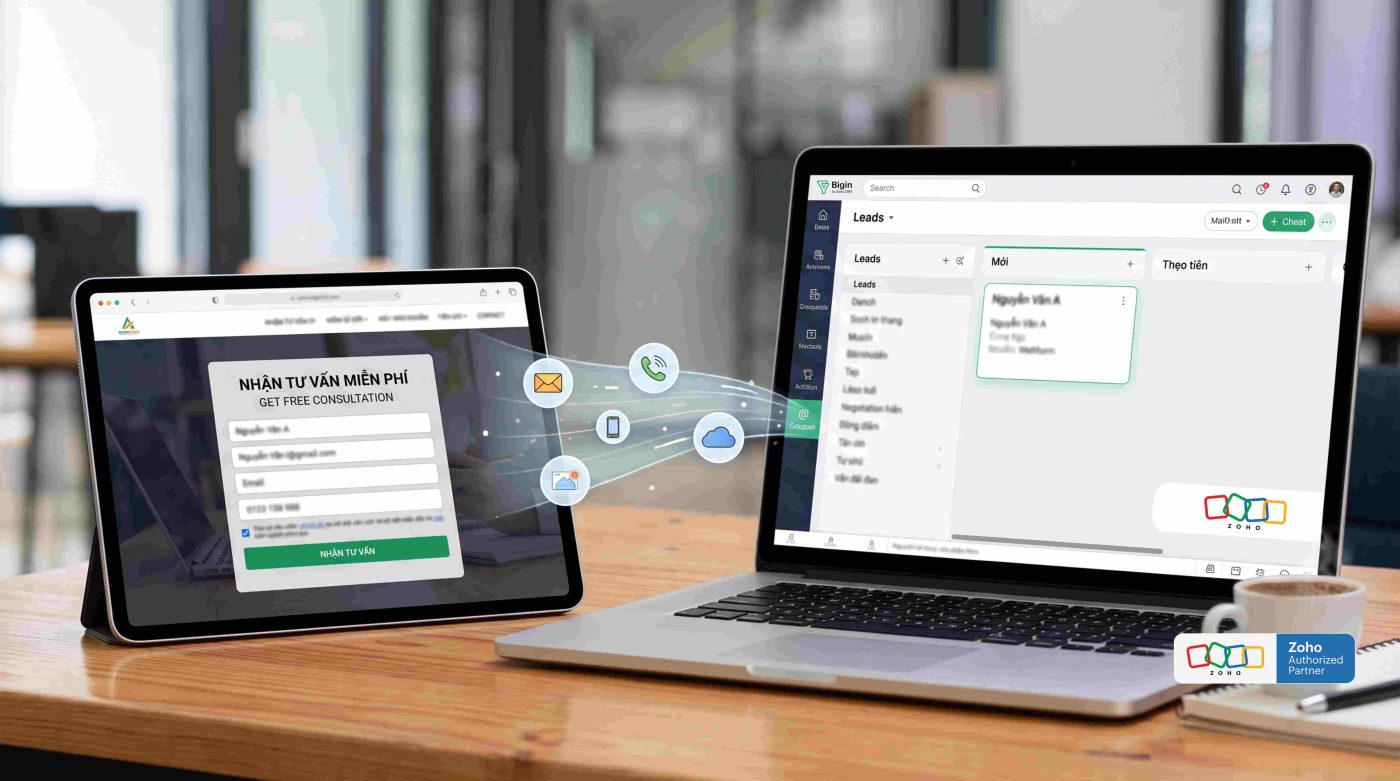
Instead of leaving phone numbers on the web and having staff manually copy-paste them into Excel, the Webforms feature solves this efficiently.
It directly connects your Website with the data center of the Zoho Bigin for education system.
Execution steps:
- Access Settings > Webforms.
- Drag important information fields into the Form (Name, Phone Number, Course). Mark “Mandatory” for the Phone Number field.
- Turn on the Anti-Spam feature (Captcha) to filter out junk data.
- Customize the button color to sync with your center’s brand identity.
- Click “Save”, and the system will provide an Embed Code. You (or your IT staff) simply need to paste this code into Blog posts or Landing Pages.
- Result: When a student clicks “Submit Consultation” on the website, a new deal card will automatically appear right in the first column of the Pipeline in the CRM.
3. Conclusion
Digitizing and systematizing the management process is no longer an option. It is a mandatory condition to survive and scale up.
With the 4 detailed guide steps above, you can confidently build a powerful enrollment management framework on your own using Zoho Bigin for education.
The decision to implement Zoho Bigin for education not only helps consultants reduce administrative pressure and eliminate bookkeeping errors.
It also provides a professional experience for students right from the first touchpoint. Start applying it today to optimize conversion rates and elevate your center’s educational service quality!