




What Is Zoho Workplace and What Business Challenges Does It Address?
For many small and medium sized enterprises (SMEs), the cost of operating a digital office does not come from just one software application. Business email, document storage, word processing, spreadsheets, online meetings and internal communication may all be managed through different services. When each tool operates independently, businesses have to maintain multiple subscription fees while spending additional time managing accounts, data and access permissions.
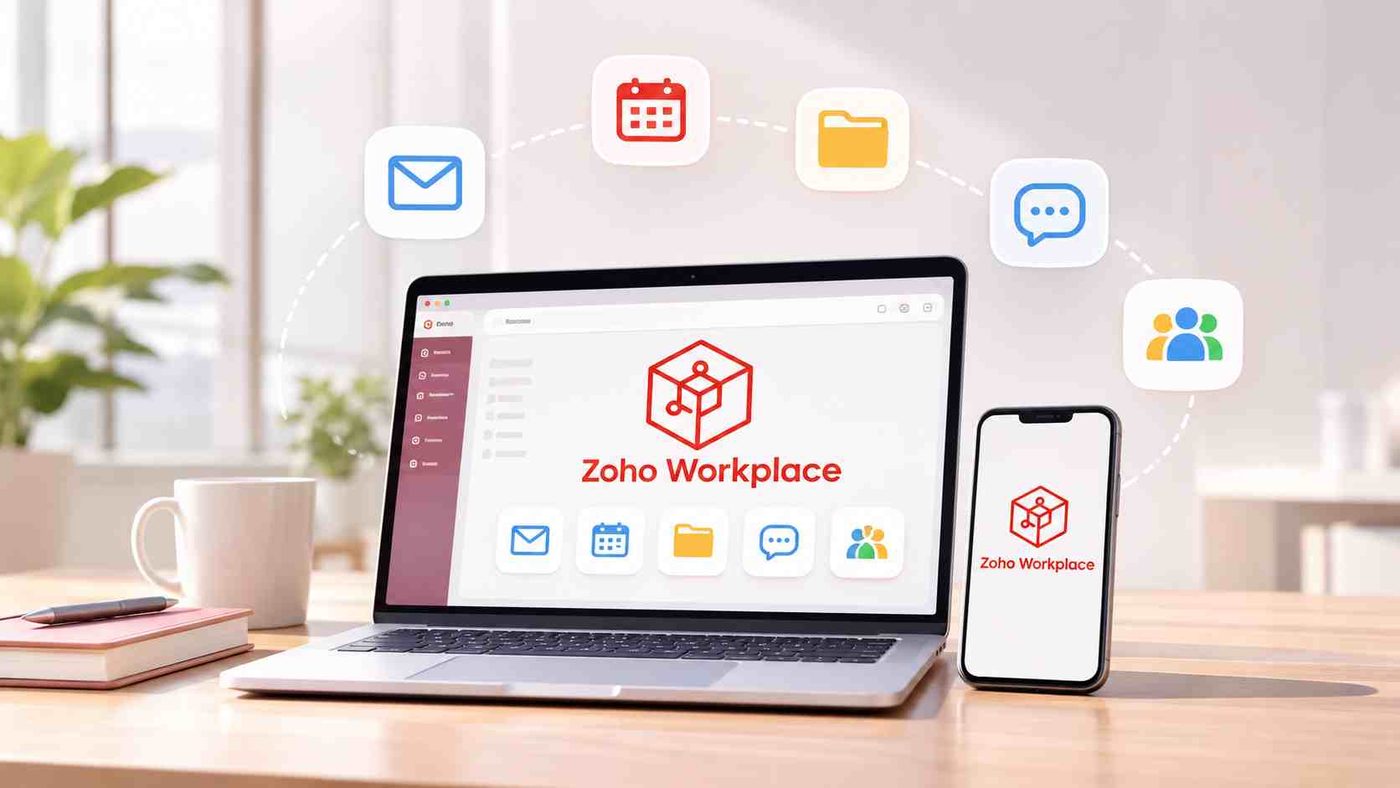
Zoho Workplace is an online workplace suite developed to address this challenge. Rather than providing only email services, the platform combines applications for communication, document management and collaboration within a single ecosystem. Employees can use business email, calendars, file storage, document editing, spreadsheets, presentations and online meetings without constantly switching between separate platforms.
Key Features of the Zoho Workplace Ecosystem
One notable aspect of Zoho Workplace is its bundled approach. Businesses can choose the edition that suits their needs and number of users instead of having to invest in the entire system from the outset. This is an advantage for SMEs that need to standardize their working environment while keeping their technology budgets under control.
The value of Zoho Workplace lies in its ability to connect everyday office activities. Each application serves a specific purpose, while collectively supporting the goal of helping employees work within a unified environment.
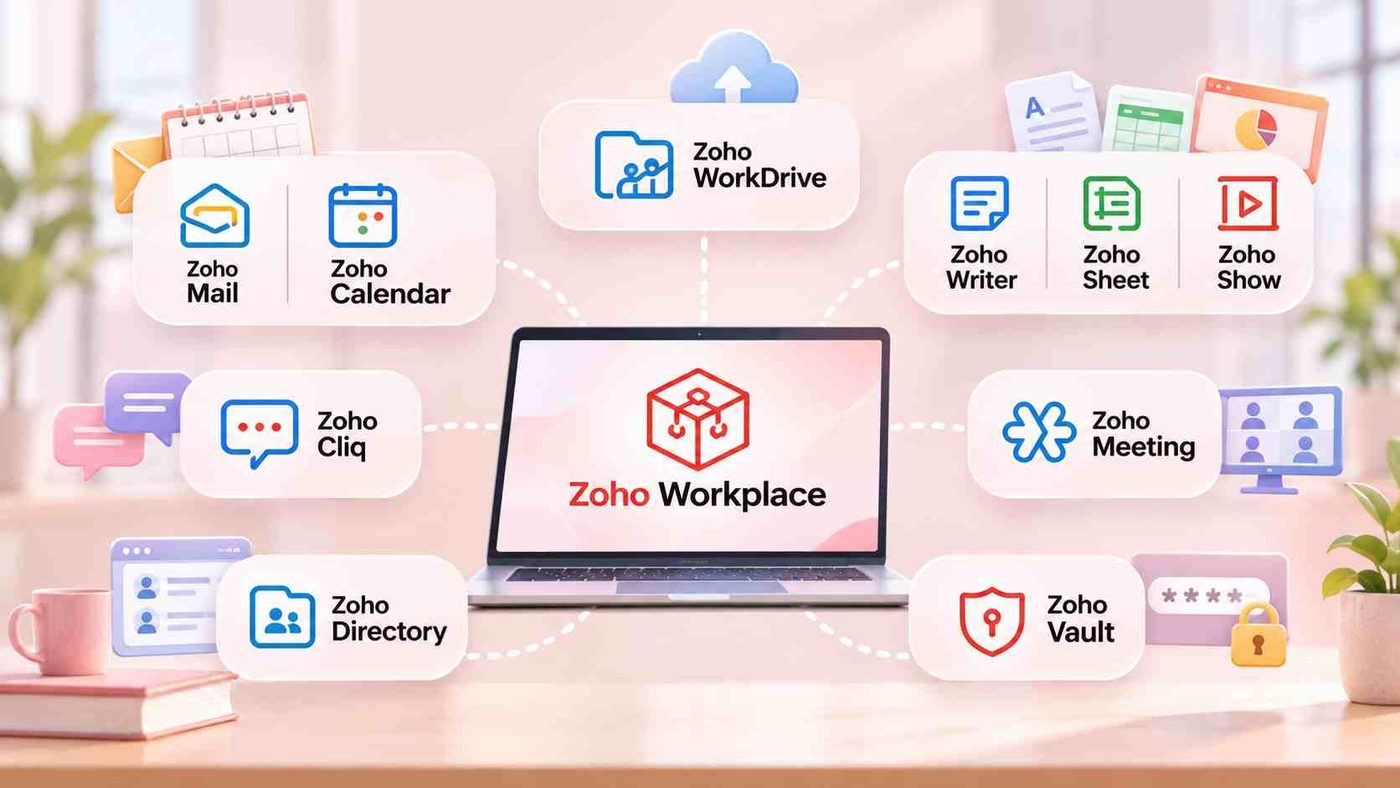
Zoho Mail and Calendar form the core communication foundation for businesses. Zoho Mail supports email addresses using a custom domain, helping businesses establish a professional image when communicating with customers and partners. Meanwhile, Calendar supports personal and group schedule management and appointment scheduling, helping prevent scheduling conflicts and missed tasks.
Zoho WorkDrive provides centralized storage and document sharing. Employees can organize files by team, department or project while assigning access permissions according to their needs. Instead of repeatedly sending different document versions through email, team members can work together using a shared and centrally managed data source.
For office document processing needs, Zoho Writer, Sheet and Show respectively support word processing, spreadsheet management and presentation creation. These applications allow multiple people to collaborate on documents, making them suitable for tasks that frequently require communication and revisions across departments.
For team communication, Zoho Cliq supports internal discussions through messages and work channels. Zoho Meeting provides online meetings, screen sharing and remote communication. This allows businesses to coordinate activities among employees and project teams without relying entirely on external applications.
In addition to applications that directly support daily work, Zoho Workplace also includes administrative tools such as Zoho Directory for identity and access management, and Zoho Vault for secure password storage and sharing. The range of features and included applications varies depending on the edition. Businesses should compare their actual requirements with the official plan comparison before making a selection.
Zoho Workplace Pricing: An Advantage Worth Considering for SMEs
For small and medium sized enterprises, software selection should not be based solely on the number of features. The total cost of ownership also needs to be considered. When using multiple separate services, businesses may incur subscription fees for each platform, not to mention the time required to manage the services and support employees in using them.
Zoho Workplace addresses this challenge through a per user pricing model, offering multiple applications within a single package. According to Zoho’s publicly available pricing at the time of reference, Workplace Standard starts at USD 3 per user per month with annual billing, or USD 4 with monthly billing. Workplace Professional starts at USD 6 per user per month with annual billing, or USD 7 with monthly billing. Prices may vary depending on region, taxes and subscription terms.
The main differences between the two editions lie in storage capacity and feature availability. Workplace Standard provides 30 GB of email storage per user and an initial shared WorkDrive storage capacity of 100 GB for teams of 3 to 10 users. Workplace Professional increases email storage to 100 GB per user, includes 100 GB of email retention storage and provides 1 TB of shared WorkDrive storage for teams of 3 to 10 users. The Professional plan also offers expanded collaboration, communication and administration features.
The basic subscription costs by number of employees can be illustrated as follows, using the annual billing prices published by Zoho:
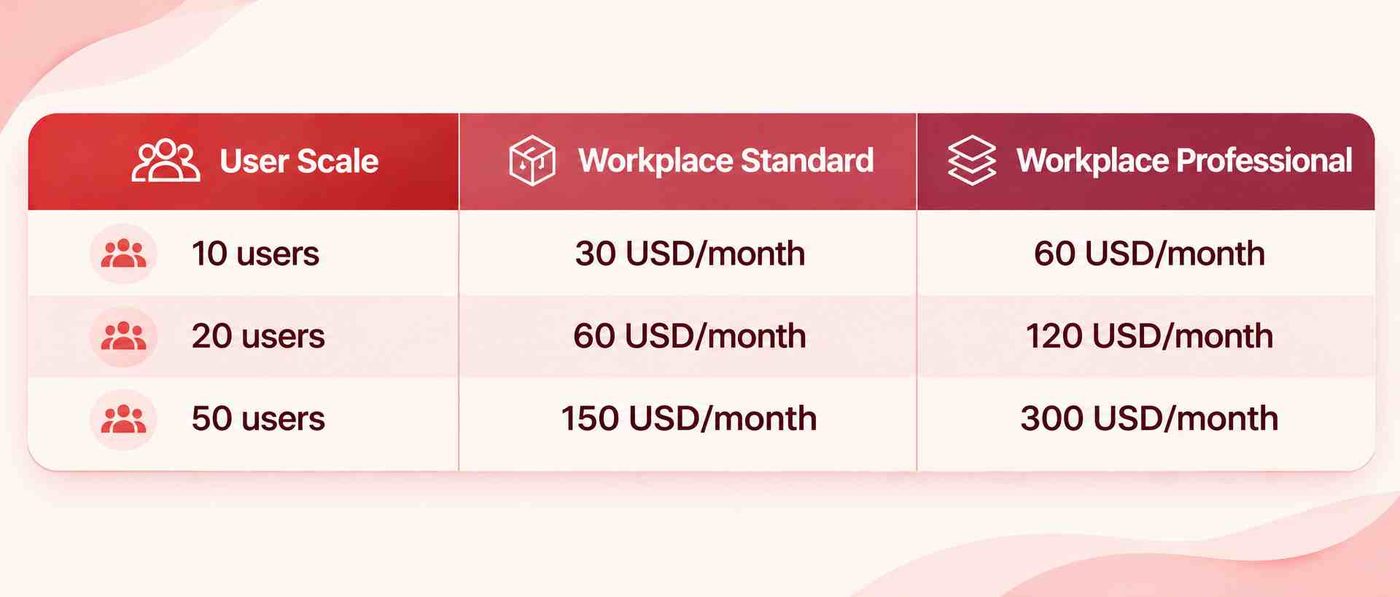
This is an estimated calculation based on the published unit prices and does not include taxes or any additional costs, if applicable. Businesses in Vietnam should confirm the final quotation, payment methods and support terms with the provider before subscribing.
The key consideration is not just the fee per account, but also the number of tools businesses can use within the same package. When email, storage, documents and online meetings are managed centrally, businesses have an opportunity to reduce the cost of maintaining multiple disconnected services and simplify administrative tasks.
Which Vietnamese SMEs Is Zoho Workplace Suitable For?
Zoho Workplace is suitable for businesses looking to standardize office operations without yet needing to invest in a complex operational management system. In particular, small and medium sized companies with multiple departments that need to collaborate regularly or employees working remotely can make good use of this model.
For newly established businesses, using custom domain email, centralized document storage and internal communication channels from the outset helps establish professional working practices. As the workforce grows, administrators can manage accounts and access permissions according to the organizational structure instead of handling each service manually.

For businesses that have been operating for years, Zoho Workplace can be an option for replacing fragmented working practices. However, implementation effectiveness depends on the existing data environment, employees’ technology habits and the ability to migrate from legacy platforms. Businesses need a plan for email migration, document organization and employee training before officially putting the system into operation.
Despite its many advantages, Zoho Workplace is not a replacement for every business system. The platform focuses on the working environment and collaboration. It does not provide the full range of specialized customer management functions offered by CRM or the financial, inventory and supply chain management capabilities of ERP. If a business needs to manage sales processes, customer service or operational activities, specialized systems still need to be considered separately.
Should Businesses Choose Zoho Workplace?
Zoho Workplace is an option worth considering when businesses need an office suite that can meet multiple requirements within a single ecosystem while keeping subscription costs under control based on the number of employees. The platform’s advantage does not lie in having a large number of applications, but in its ability to connect essential activities such as email, documents, storage and internal communication.
However, to choose the right edition, businesses need to assess storage capacity, the number of accounts, security requirements, online meeting needs and the level of collaboration between departments. There is no need to choose the highest tier if employees only require basic functions. Conversely, if documents and data are used frequently, selecting a plan with appropriate storage capacity and administrative features can help limit upgrade costs in the future.
WBLGroup supports businesses in assessing their needs, selecting a suitable Zoho Workplace plan and developing an implementation approach that matches their operational scale. The goal is not simply to put software into use, but also to help businesses establish a unified working environment, manage information effectively and build a solid foundation for the next stages of digital transformation.