







Zoho LandingPage is a tool that helps businesses quickly create Landing Pages with a drag and drop interface, build forms to collect Leads and connect data with CRM without writing code. For SMEs, this is a simple way to turn a specific Marketing need into a touchpoint that can generate Leads and send data directly into the Sales process.
If a digital front door helps a business build a professional presence online, a Landing Page is a touchpoint designed for a specific conversion goal.
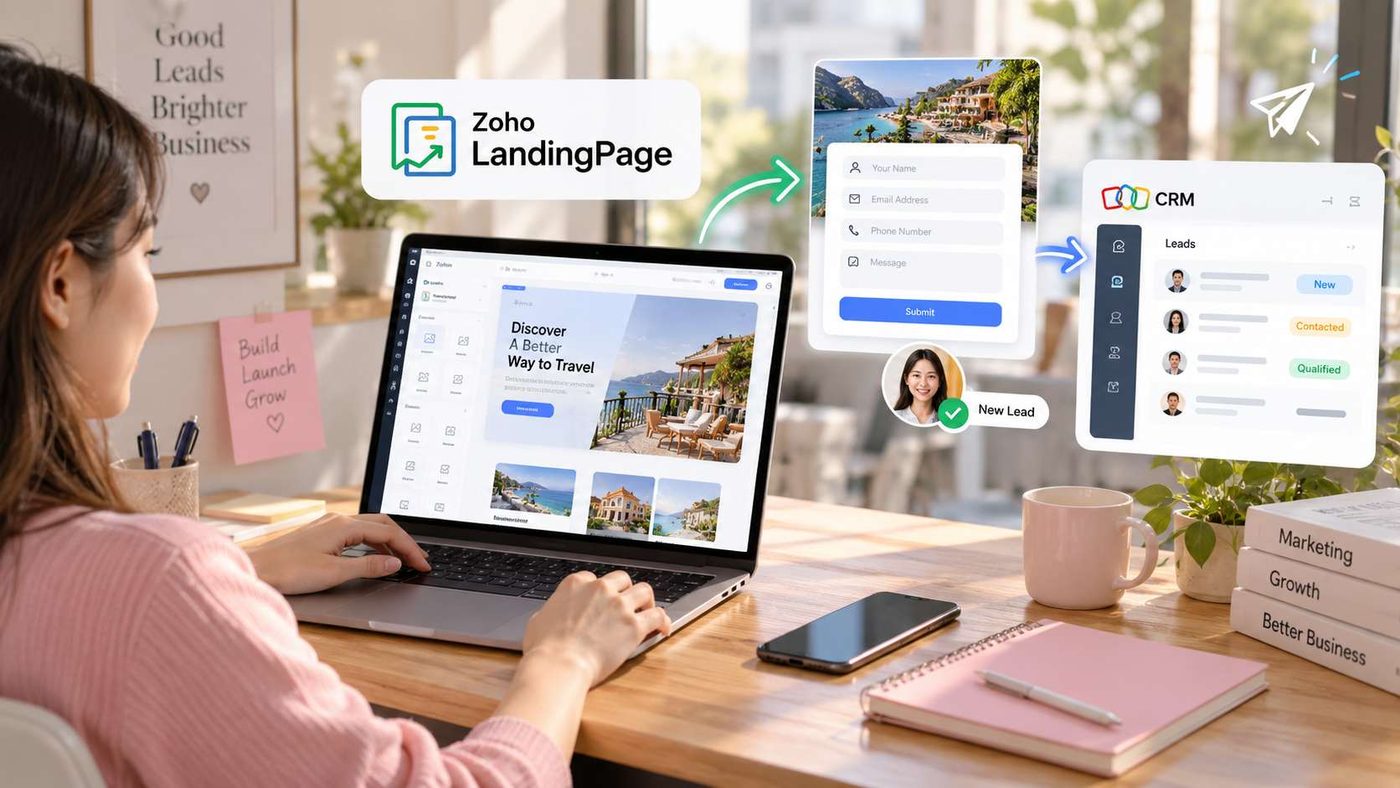
Create Landing Pages with Drag and Drop, No Coding Required
The starting point of Zoho LandingPage is its intuitive page builder. Businesses can drag and drop the necessary elements to build a Landing Page instead of having to edit source code.
Create Effective Landing Pages with an Intuitive Drag and Drop Builder
Instead of relying on the technical team for every small change, Marketing can proactively build and edit pages based on the goals of each campaign. Content, images, headlines, call to action buttons and forms can all be arranged directly on the interface.
This is especially suitable for campaigns that need to be launched quickly, such as introducing a service, registering for a consultation, collecting customer information or promoting a specific program.
Choose Ready Made Templates and Get Started Faster
Not every business needs to build a Landing Page from scratch. Zoho LandingPage provides ready made Landing Page templates for businesses to choose from and customize based on their intended goals.
Instead of spending time building the entire layout, Marketing can start with a suitable template and then change the content, images and forms according to the campaign.
This approach helps shorten deployment time while ensuring that the Landing Page has a clear structure and focuses on one main action.
Collect Leads Directly on the Landing Page
A Landing Page only creates real value when visitors can take action. With Zoho LandingPage, businesses can create forms to collect customer information directly on the page.
Businesses can choose information fields that match Sales needs, such as full name, email, phone number, company or consultation needs.
One point to keep in mind is that the simpler the form, the easier it is for customers to complete. Therefore, businesses should only ask for information that is truly necessary for the next step of the process.
Send Leads Directly to Zoho CRM
This is the most important function if a business is using the Zoho ecosystem.
Zoho LandingPage can connect with Zoho CRM to transfer information from forms into CRM. Businesses can set up corresponding data fields between the Landing Page and CRM, allowing customer information to be entered into the correct structure instead of being manually entered again.
The workflow becomes clear:
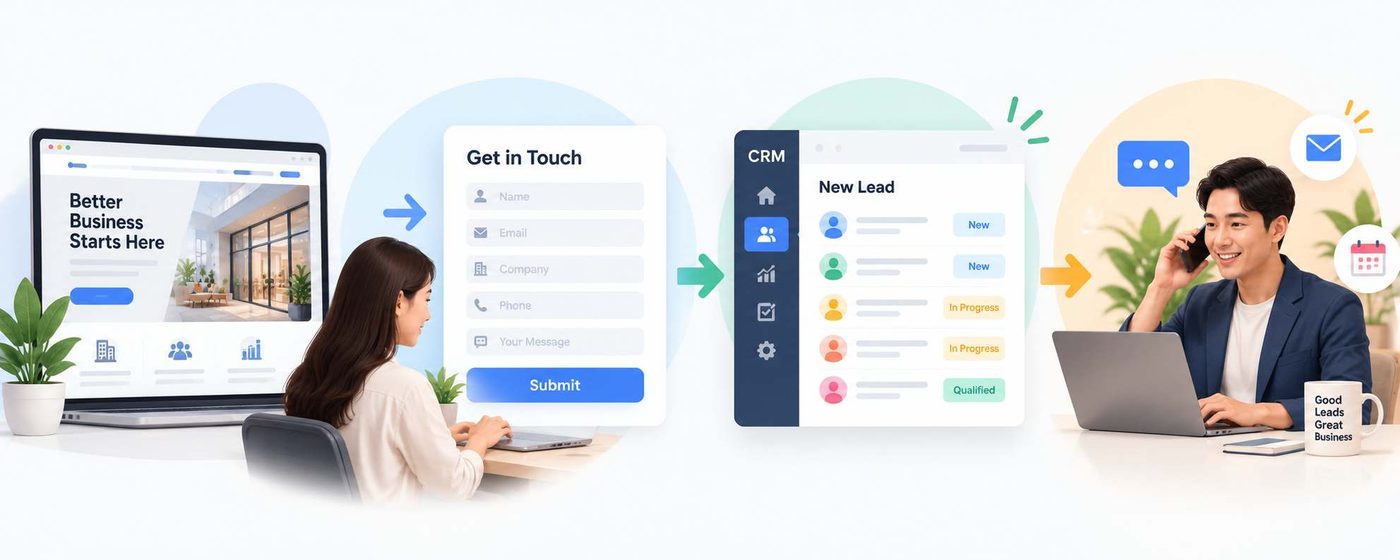
As a result, Marketing does not need to manually send Lead lists to Sales after each campaign, while Sales can receive the data within the same customer management system.
Zoho also supports sending traffic source information such as UTM data to CRM, helping businesses identify which campaign or source the Lead came from and providing additional data to evaluate Marketing effectiveness.
Track Performance Instead of Just Looking at Traffic
Zoho LandingPage is not only used to create pages. Businesses can also track metrics related to Landing Page activity to understand how the page is performing.
For B2B Marketing, the important question is not only how many people visit the page, but how many people take action and how many Leads are actually transferred to Sales.
When Landing Page data is connected with CRM, businesses can take this one step further: track Leads after they leave the Landing Page and evaluate the quality of those Lead sources throughout the Sales process.
This is what turns a Landing Page into part of a revenue generation system rather than simply a page created to support advertising.
For WBLGroup, Zoho LandingPage is suitable for businesses that want to start building digital touchpoints capable of generating Leads but do not yet want to depend on website development for every campaign. From a simple drag and drop tool, businesses can build Landing Pages, collect information and connect with CRM to create a more seamless Marketing and Sales flow.
There is no need to start with a complex system. With just a Landing Page built around the right goal, a form designed around the right needs and a properly connected data flow, businesses can already turn traffic into business opportunities that can be managed and measured.